
Ideas rarely arrive when a notebook is open and a cursor is ready. They surface in conversations, during walks, or in the middle of meetings that move faster than anyone can type. The gap between the moment something useful is said and the moment it becomes a clear next step is where many projects stall. Tools that aim to close that gap have become increasingly common, and Snapjotz com positions itself among them by emphasizing rapid capture, intelligent transcription, and the conversion of raw discussion into organized action.
At its core, the platform centers on a simple sequence: record or capture, convert speech or input into usable text, identify decisions and tasks, and push those items into the systems people already use. Whether the entry point is a live meeting, a voice note, or a quick written thought, the goal is to reduce the friction that usually sits between insight and follow-through. This article examines how that process works, the kinds of users it serves, the practical strengths and limits of the approach, and what to consider when evaluating it against everyday workflow needs.
The Core Workflow: From Spoken Words to Structured Output
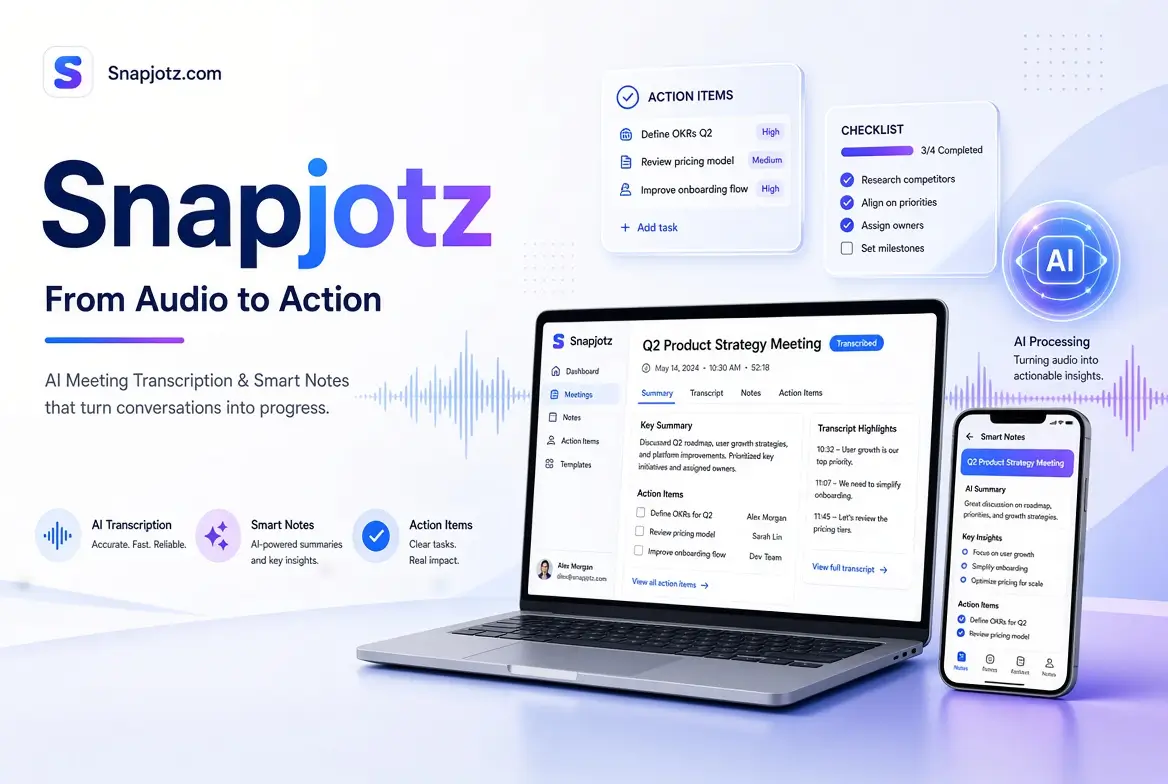
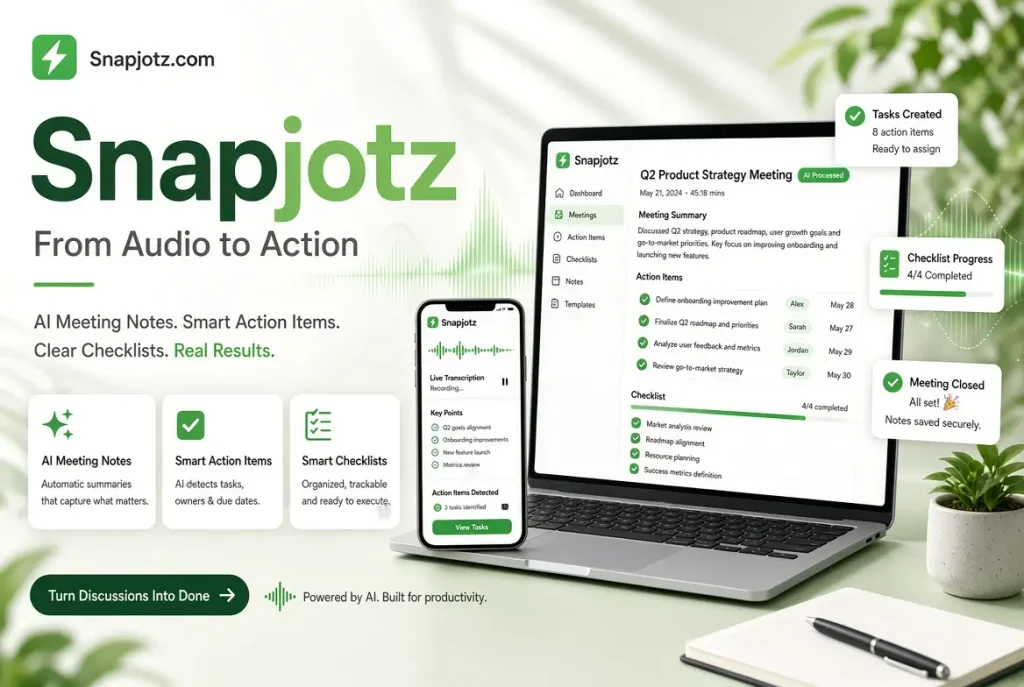
The most distinctive claim around Snapjotz com is its pipeline for handling meeting audio. Capture can happen through a browser, a dedicated app, or an automated calendar connection that joins calls on behalf of the user. Once audio is recorded, the system transcribes it with an emphasis on speaker differentiation and contextual accuracy. The next layer attempts to surface decisions, questions, and implied action items rather than leaving users with a long, undifferentiated transcript.
This progression matters because raw transcripts alone often create more work than they save. Someone still has to read through pages of dialogue, decide what was actually agreed, and turn those points into tasks with owners and deadlines. By attempting to automate parts of that extraction, the platform aims to shrink the post-meeting administrative load. Summaries, prioritized task lists, and draft follow-up messages become the output instead of a wall of text that requires further processing.
The final stage involves distribution. Integration with tools such as Slack, Notion, and Jira allows action items to move out of the transcription environment and into the places where teams already track work. When this chain functions smoothly, a meeting can end with clearer documentation and fewer “what did we decide?” messages in the following days. The value is not in perfect automation but in reducing the number of manual steps between conversation and shared record.
Profile Summary
| Category | Details |
|---|---|
| Primary Focus | Fast capture of ideas and meetings → structured notes, summaries, and action items |
| Core Workflow | Record → Transcribe → Analyze → Actionize → Distribute |
| Key Capabilities | Meeting transcription, speaker mapping, decision/task extraction, multi-format note capture |
| Integrations | Slack, Notion, Jira (and similar workflow tools) |
| Best Suited For | Teams with frequent meetings; individuals who need quick idea capture |
| Main Benefit | Reduces post-meeting admin and prevents loss of decisions/ideas |
| Important Limitation | Automated output still requires human review for accuracy and nuance |
| Capture Methods | Live meeting audio, voice notes, text, images |
| Ideal Use Case | Turning conversations into clear next steps with minimal manual effort |
Fast Idea Capture Beyond Formal Meetings
Not every useful thought arrives inside a scheduled call. Snapjotz com also addresses the broader need for rapid personal capture—the digital equivalent of jotting something on a scrap of paper before it disappears. Support for text, images, and audio notes allows users to record ideas in the form that feels most natural at the moment. A quick voice memo while walking, a screenshot with an annotation, or a short written outline can all land in the same workspace.
Snapjotz Com organization becomes the second half of the problem. Capture without retrieval simply creates a different kind of clutter. Tagging, search, and basic structural tools help users return to earlier notes without reconstructing the original context from memory. For individuals who generate more ideas than they can immediately act on, this combination of low-friction input and later findability can be more useful than a highly structured system that feels heavy to maintain.
The practical test is whether the capture habit sticks. Tools that require multiple taps, long load times, or complex setup tend to be abandoned in favor of whatever is already open. Platforms that keep the entry point light increase the odds that fleeting thoughts actually get recorded. Snapjotz Com once recorded, the ability to refine, link, or convert those notes into tasks determines whether the system becomes a genuine part of daily work or another underused archive.
Who Benefits Most from This Style of Tool
Snapjotz Com teams that run frequent meetings and struggle with inconsistent follow-through stand to gain the most from meeting-centric features. Project leads, product groups, and cross-functional squads often lose decisions in the gap between discussion and documentation. An automated summary and task extraction layer can reduce that leakage, especially when the output lands directly in shared workspaces. Individuals who act as the informal “note-taker” for their group may find the burden lightened when the system handles first-draft documentation.
Solo users and creators benefit differently. Writers, researchers, and independent professionals often need a reliable place to drop fragments—quotes, observations, structural ideas—without breaking flow. Snapjotz Com a tool that accepts mixed media and later supports organization can serve as a personal inbox for thinking. The absence of heavy project-management overhead is an advantage here; the priority is speed of capture and later accessibility rather than complex workflow automation.
The fit is weaker for organizations that already maintain rigorous meeting protocols and dedicated documentation roles, or for users who prefer highly customized, deeply nested knowledge bases. In those cases, the lighter, automation-first approach may feel either redundant or insufficiently flexible. Matching the tool to the actual friction points in a workflow remains more important than adopting features because they sound advanced.
Practical Strengths and Realistic Limitations
When the transcription and analysis layers perform well, the time savings are tangible. Meetings that once required thirty minutes of cleanup can leave behind usable summaries and task lists with far less manual effort. Speaker mapping and decision detection, when accurate, reduce the cognitive load of reconstructing “who said what” days later. Snapjotz Com Integrations that push items into existing tools prevent the common failure mode of documentation that lives in isolation from the systems where work actually happens.
Limitations appear in the gap between marketing claims and variable real-world conditions. Accents, overlapping speech, technical jargon, and poor audio quality still challenge even strong speech-to-text systems. Automated extraction of action items can miss nuance or misassign ownership, requiring human review. Over-reliance on the system without a habit of quick verification can reintroduce the very ambiguity the tool was meant to reduce. Snapjotz Com storage limits, collaboration depth, and offline capability also vary and should be checked against specific needs rather than assumed.
Privacy and data handling deserve separate attention. Meeting audio and transcripts often contain sensitive discussion. Users should understand where data is processed, how long it is retained, and what controls exist for deletion or access restriction. These considerations are not unique to any single platform, but they become more salient when the tool sits at the center of team communication.
Building Sustainable Habits Around Capture and Follow-Through
Technology alone rarely fixes broken habits. The most effective use of a tool like Snapjotz com pairs its capabilities with clear personal or team practices. Deciding in advance which meetings will be recorded, who will review the generated summary, and how tasks will be confirmed prevents the output from becoming another ignored artifact. A short end-of-meeting ritual—glancing at the extracted action items and making quick corrections—preserves accuracy without recreating the full note-taking burden.
For personal use, the habit is simpler but equally important. Capturing ideas is only useful if review happens later. Setting aside brief, regular times to process the inbox of notes—tagging, discarding, or converting items into tasks—keeps the system from becoming a digital junk drawer. Snapjotz Com the tool reduces friction at the point of entry; the user still supplies the discipline of closure.
Over time, the combination of reliable capture and light structure can change how work feels. Fewer ideas are lost. Fewer meetings dissolve into vague recollection. The administrative tax on collaboration shrinks. These gains are incremental rather than dramatic, yet they compound for people who spend significant portions of their week in discussion and planning.
Snapjotz com represents one approach to a persistent problem: the distance between spoken or fleeting ideas and durable, actionable records. By emphasizing transcription, automated extraction of decisions, and distribution into existing tools, it targets the administrative drag that follows many meetings and brainstorms. Its usefulness depends on audio quality, the accuracy of its analysis layer, and the willingness of users to treat generated output as a draft rather than a finished product.
For teams drowning in undocumented decisions and individuals who lose ideas to scattered notes, the core workflow offers a practical response. The platform does not eliminate the need for human judgment, nor does it replace deeper knowledge systems for every use case. Snapjotz Com what it can do is shorten the path from conversation to clarity, provided it is adopted with realistic expectations and paired with simple review habits. In that role, it becomes less a destination for information and more a reliable bridge between thinking and doing.
Conclusion
Snapjotz com addresses a familiar and persistent friction: the gap between useful conversation or fleeting ideas and clear, usable records. By focusing on capture, intelligent transcription, decision extraction, and distribution into existing tools, it aims to shrink the administrative work that often follows meetings and brainstorms. The value appears when audio is converted into structured summaries and tasks with less manual effort than traditional note-taking requires.
Its usefulness still depends on realistic expectations. Transcription quality varies with conditions, automated insights need human review, and lasting benefit comes only when teams or individuals build simple habits around checking and acting on the output. For those who regularly lose decisions in the noise of discussion or scatter ideas across too many places, the core workflow offers a practical bridge between thinking and follow-through. Used with intention, it becomes less about collecting more information and more about making the information that already exists easier to turn into progress.
Frequently Asked Questions
What is Snapjotz com primarily designed for?
It focuses on capturing conversations and quick ideas, then turning them into transcripts, summaries, and actionable follow-up items.
Does it work with live meetings?
Yes. It supports recording through browser, app, or calendar-connected bots that can join calls to capture audio.
How accurate is the transcription?
The platform claims high accuracy, including speaker differentiation, though real-world results depend on audio quality, accents, and overlapping speech.
Can it identify action items automatically?
It attempts to extract decisions, questions, and tasks from discussions so users spend less time manually reviewing full transcripts.
What tools does it integrate with?
Common mentions include Slack, Notion, and Jira for pushing summaries and tasks into existing workflows.
Is it only for teams?
No. Individuals can also use it for personal idea capture, voice notes, and organizing mixed-media notes.
Does it support languages other than English?
Descriptions indicate support for a wide range of languages in the transcription engine.
Is human review still necessary?
Yes. Automated summaries and task lists work best when quickly checked and adjusted by a person who was present.
What are common limitations?
Challenges include imperfect audio, missed nuance in automated extraction, and the need for consistent review habits to keep outputs useful.
Who tends to benefit most?
Teams with frequent meetings and weak follow-through, as well as individuals who generate many ideas and need a low-friction way to record and retrieve them.
Read More:
