
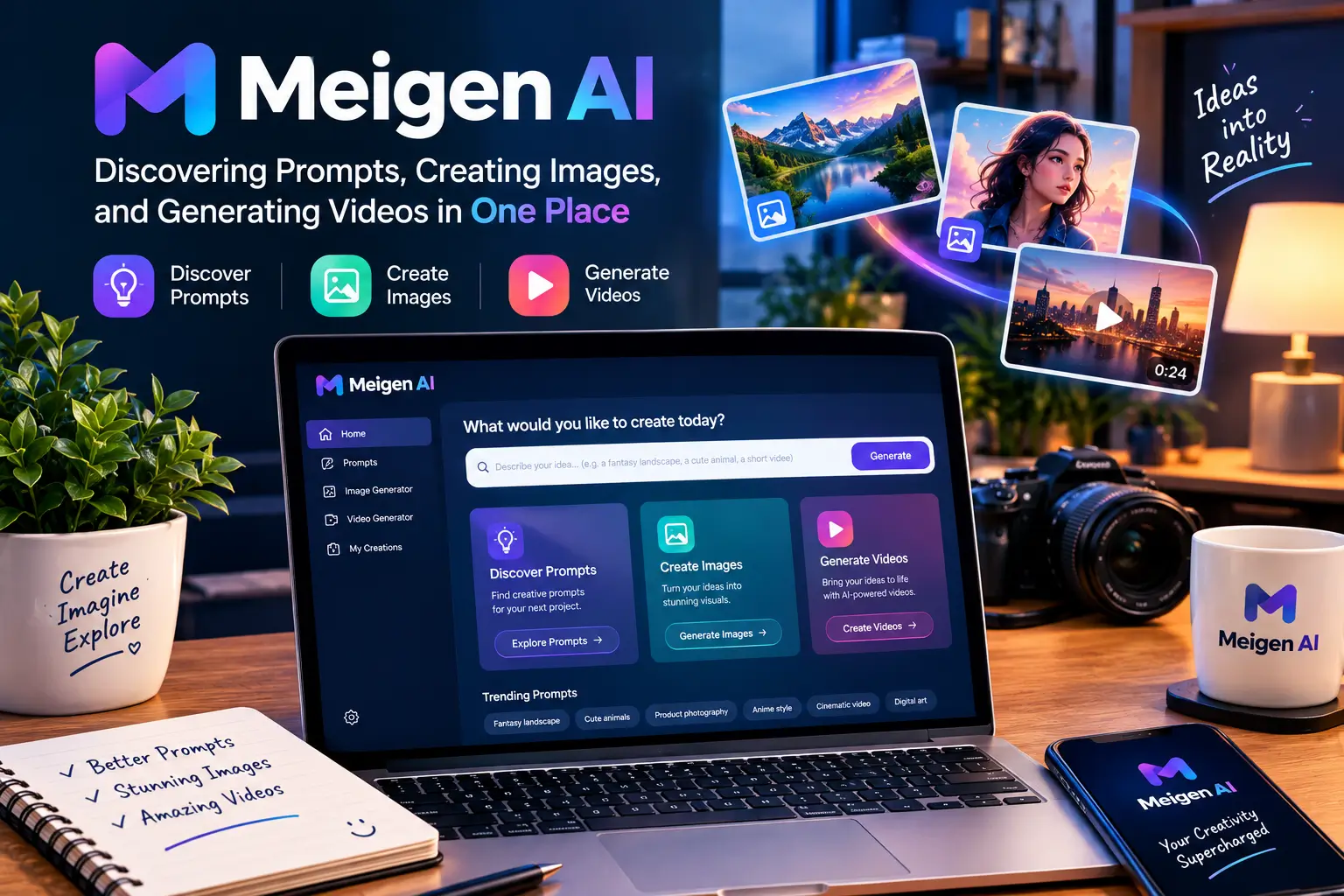
Most people who start generating AI images or short videos hit the same wall quickly. You open a tool, stare at a blank prompt box, and realize that writing a strong description takes more skill than expected. You try a few phrases, get mediocre results, tweak them, and burn through time or credits. MeiGen AI approaches this problem from a different angle. Instead of forcing every user to invent prompts from scratch, it puts a living gallery of finished AI artworks front and center. Each piece comes with the exact prompt that produced it. You can study it, adapt it, or generate a fresh version on the spot using a range of current models.
This combination of discovery and creation is what sets MeiGen AI apart. The platform is built around browsing, learning from real outputs, and then producing your own images or videos without jumping between different websites or subscriptions. Whether you are a designer looking for product shots, a marketer needing social visuals, or simply someone who enjoys experimenting with AI art, the workflow feels more like exploring a well-curated library than wrestling with a blank canvas.
What MeiGen AI Actually Is
MeiGen AI is a browser-based (and mobile) platform focused on AI image and video creation. Its core experience mixes a searchable community gallery with generation tools that support multiple models. You can browse finished artworks, open any piece to see the prompt behind it, make adjustments, add your own reference images, choose a model, and generate something new. The same account works across the website and the official iOS and Android apps, with credits and saved boards syncing automatically.
The platform does not rely on a single proprietary model. Instead it acts as a unified interface for several well-known image and video engines. Image options have included variants such as GPT Image models, Flux-based models, Seedream, Midjourney releases, Grok Imagine, and others. Video models have featured Seedance versions capable of clips from a few seconds up to around half a minute, along with additional options that support reference video and audio. Exact availability shifts as providers update their offerings, but the principle stays consistent: one login, many models, and a clear credit cost shown before you generate.
What makes the experience distinctive is the tight loop between inspiration and production. You are not limited to copying a prompt and pasting it elsewhere. The gallery and generator live in the same place, so the jump from “I like this look” to “I want my own version” is short. Reference images can be uploaded to guide composition, style, or subject consistency. Prompt enhancement tools help refine descriptions. For more structured needs, guided workflows (sometimes called Skills) can turn a single product photo into a set of related marketing or e-commerce visuals.
How the Curated Prompt Gallery Changes the Creative Process
The gallery is the heart of MeiGen AI. It collects community-sourced AI images and videos, refreshed regularly, and organizes them so users can search and filter by category. Common groupings include product photography and packaging, brand and logo work, illustration and 3D, character design, and video examples. Each entry typically shows the finished result alongside the prompt that generated it, often with model information and other settings.
This setup removes a major barrier for newcomers and speeds up work for experienced users. Instead of guessing camera angles, lighting language, or style keywords, you can study prompts that already delivered strong results. A product photographer might find a clean white-background shot and adapt the language for a different item. A social media creator might grab a cinematic video prompt and change the subject while keeping the camera movement and mood. Because the outputs are visible, you immediately understand what the words actually produce.
The gallery also functions as a living reference library. Trends in AI aesthetics appear quickly—certain lighting styles, character designs, or motion techniques rise and fall. Browsing regularly gives a sense of what is currently working well across different models. Users can save favorites, organize boards, and return to them later. On mobile the same gallery is fully available, so inspiration is not limited to a desktop session. The combination of visual results and reusable text makes the gallery far more practical than a simple image feed or a list of prompt ideas without context.
Image Generation: Models, References, and Practical Control
Image creation on MeiGen AI is flexible. After selecting a model, you write or paste a prompt, optionally add reference images, choose aspect ratio and resolution, and generate. Many models accept multiple references, which helps maintain character consistency, product appearance, or overall style across a series of images. Some support editing workflows where an existing image is modified according to new instructions rather than generated from scratch.
Resolution options commonly range from 1K to 4K depending on the model and account level. Higher resolutions and certain premium models require purchased credits, while basic models can often be used with the daily free allowance. Quality tiers exist on some engines, letting you trade speed for detail or the reverse. The interface shows the credit cost on the generate button, so there are few surprises about how much a particular request will cost.
Practical use cases appear quickly once you start working. Product teams generate consistent pack shots or lifestyle scenes. Designers explore logo concepts or marketing posters. Illustrators test character designs or environments. Because multiple models sit side by side, it is easy to run the same prompt through two or three engines and compare results. This side-by-side capability reduces the need to maintain separate accounts on different services just to evaluate which model handles a given task best.
Video Generation and Motion Capabilities
Video support expands the platform beyond static images. Models such as recent Seedance versions allow generation of clips lasting from a few seconds up to roughly thirty seconds, with options for 480p, 720p, or 1080p. Some accept reference video and audio, enabling continuation of motion or style from existing clips. Generated audio is available on certain models, so the output can include a soundtrack created alongside the visuals.
The process mirrors image generation in many ways: prompt or reference, model selection, duration and resolution choices, then generation. Credit costs are typically calculated per second and can rise noticeably at higher resolutions or longer lengths, so planning matters. Still, for short social clips, product demos, or animated concepts, the ability to produce motion without leaving the same environment as the image tools is convenient.
Reference-based video workflows are particularly useful when consistency matters. An existing image can serve as the starting frame. A short reference clip can guide camera movement or subject action. Audio references can influence timing or mood. These features make it possible to build short sequences that feel connected rather than isolated one-off generations.
Credits, Mobile Access, and Getting Started
MeiGen AI uses a dual credit system. New accounts usually receive a welcome bonus. Daily free credits reset at a fixed time (commonly 00:00 UTC) and can be spent on designated basic models. Purchased credits do not expire and unlock the full range of models, higher resolutions, and additional features such as parallel generations. Exact pricing and model availability change over time, so the cost shown at generation is the reliable figure.
The official mobile apps for Android and iOS deliver the full experience rather than a limited companion version. Gallery browsing, generation, favorites, and boards all work on the phone, and credits are shared with the web account. This makes it realistic to capture an idea while away from a desk, generate a draft, and refine it later on a larger screen.
Additional integration options include a REST API for developers and an open-source MCP (Model Context Protocol) server. The MCP plugin lets compatible AI coding assistants generate images and videos, search the gallery, and enhance prompts through natural language. For teams already working inside tools that support MCP, this can fold visual creation into existing workflows without constant context switching.
Getting started is straightforward. Create an account, explore the gallery, try a few generations with free credits on basic models, and decide whether the multi-model access and prompt discovery justify purchasing additional credits. Many users find the combination of inspiration and production tools reduces the friction that usually accompanies AI image and video work.
MeiGen AI will not replace careful creative direction or post-production editing. Results remain probabilistic, and strong outputs still benefit from thoughtful prompting and selection. What it does well is lower the barrier to useful results and keep multiple generation options in one coherent environment. For anyone who regularly needs AI visuals and wants to spend less time starting from zero, the platform offers a practical and increasingly capable set of tools.
Conclusion
MeiGen AI stands out because it treats discovery and creation as two sides of the same process. The curated gallery removes much of the guesswork that usually comes with writing prompts from scratch, while the multi-model generator lets users move quickly from inspiration to finished images or short videos. Free daily credits on basic models make it easy to test the platform without commitment, and the shared account system between web and mobile apps keeps everything accessible.
For designers, marketers, content creators, and anyone who regularly needs visual assets, the combination of ready-to-adapt prompts, reference support, and a growing selection of image and video models offers a practical workflow. Results still depend on clear direction and thoughtful selection, yet the overall experience feels more efficient and less frustrating than starting with a blank page every time. As AI visual tools continue to evolve, platforms that reduce friction while expanding options will remain useful. MeiGen AI currently delivers on both fronts.
Frequently Asked Questions
1. What is MeiGen AI in simple terms?
MeiGen AI is an online platform that combines a searchable gallery of AI-generated images and videos with tools to create your own. Each gallery piece usually includes the prompt that produced it, so you can study successful examples and generate new versions using multiple AI models.
2. Is MeiGen AI free to use?
Browsing the gallery is free. New accounts typically receive a welcome credit bonus, and free daily credits are available for basic image models. Premium models, higher resolutions, and most video generation require purchased credits.
3. What kinds of AI models does MeiGen AI support?
The platform aggregates several image and video models from different providers. Image options have included GPT Image variants, Flux-based models, Seedream, Midjourney releases, and others. Video models have featured Seedance versions and additional engines that support reference media. Availability can change as providers update their offerings.
4. Can I use my own images as references?
Yes. Most models accept reference images to guide style, composition, subject consistency, or editing. Some support multiple references in a single generation.
5. Does MeiGen AI work on mobile devices?
Yes. Official apps for iOS and Android provide the full gallery, generation tools, favorites, and boards. Credits and saved content sync with the web account.
6. How does the credit system work?
There are two types of credits. Daily free credits reset at a fixed time and can be used on designated basic models. Purchased credits do not expire and unlock the full range of models and features. The exact cost for any generation appears on the generate button before you submit.
7. Can I generate videos as well as images?
Yes. Several video models are available. Depending on the model, you can create clips ranging from a few seconds to around thirty seconds, with options for different resolutions and, in some cases, generated audio or reference video and audio.
8. Is there an API or way to integrate MeiGen AI with other tools?
Yes. A REST API is available for developers. There is also an open-source MCP (Model Context Protocol) server that allows compatible AI coding assistants to generate images and videos and search the gallery through natural language.
9. Who is MeiGen AI best suited for?
It works well for designers, marketers, social media creators, product teams, and hobbyists who want to move faster from idea to visual. People who struggle with writing prompts from scratch often find the gallery especially helpful.
10. Are the generated images and videos commercially usable?
Many paid plans and credit purchases include commercial licensing rights. Always check the current terms on the platform for the specific plan or credit type you are using, as licensing details can vary.
Read More:
