

Geometry has a reputation for being abstract. Students stare at static diagrams in textbooks, memorize theorems, and still struggle to see how a triangle’s angles always add up to 180 degrees or why two shapes are congruent. The gap between looking at a figure and truly understanding its properties is where many learners get stuck.
Geometry Learn V3 approaches the subject differently. It treats geometry as something you do rather than something you only read about. Learners drag points, rotate solids, stretch sides, and watch relationships change in real time. The platform responds instantly, adjusting the next challenge based on what the user just demonstrated they understand—or still need to practice. This shift from passive observation to active exploration is the core idea behind the V3 experience.
Geometry Learn V3 vs Traditional Geometry Learning
| Aspect | Geometry Learn V3 | Traditional Textbook / Classroom Method |
|---|---|---|
| Learning Style | Interactive – drag, rotate, and manipulate shapes | Passive – read diagrams and memorize rules |
| Feedback | Instant, real-time response | Delayed (homework or test results) |
| Visualization | 3D models, dynamic diagrams, live measurements | Flat 2D drawings |
| Pacing | Adaptive – adjusts to your performance | Fixed curriculum pace |
| Engagement | High – hands-on exploration feels like discovery | Often lower – can feel passive or repetitive |
| Best For | Building spatial intuition and conceptual understanding | Formal proofs, written practice, and structured theory |
| Accessibility | Browser-based, works on most devices | Requires physical book or classroom presence |
| Mistake Correction | Immediate guidance on where reasoning went wrong | Usually after submission |
| Practice Type | Visual + interactive challenges | Written exercises and memorization |
| Overall Strength | Makes abstract ideas concrete and memorable | Builds precision, formal language, and exam skills |
What Geometry Learn V3 Actually Delivers
Geometry Learn V3 is a browser-based learning environment focused on visual and interactive geometry. Users work directly with points, lines, angles, polygons, circles, and three-dimensional forms. Instead of flipping pages or watching a video explanation, they construct figures, measure properties, and test ideas by moving the pieces themselves.
The “V3” label signals an evolution from earlier digital tools that mostly digitized textbooks. Earlier versions offered static images with occasional quizzes. Version 3 centers on a continuous feedback loop. When a student changes an angle, the platform shows the effect on related measurements immediately. When a proof step is incorrect, the system highlights the logical break rather than simply marking the whole answer wrong. This design keeps learners engaged longer and helps misconceptions surface early, before they harden into habits.
The content covers the expected range of school geometry: foundational elements like points, lines, and planes; angle relationships; triangle congruence and similarity; circle properties; coordinate geometry; transformations; and introductory solid geometry. What changes is the method of delivery. Concepts that once felt theoretical become tangible because the learner can manipulate them directly.
How Interactive Visualization Changes Understanding
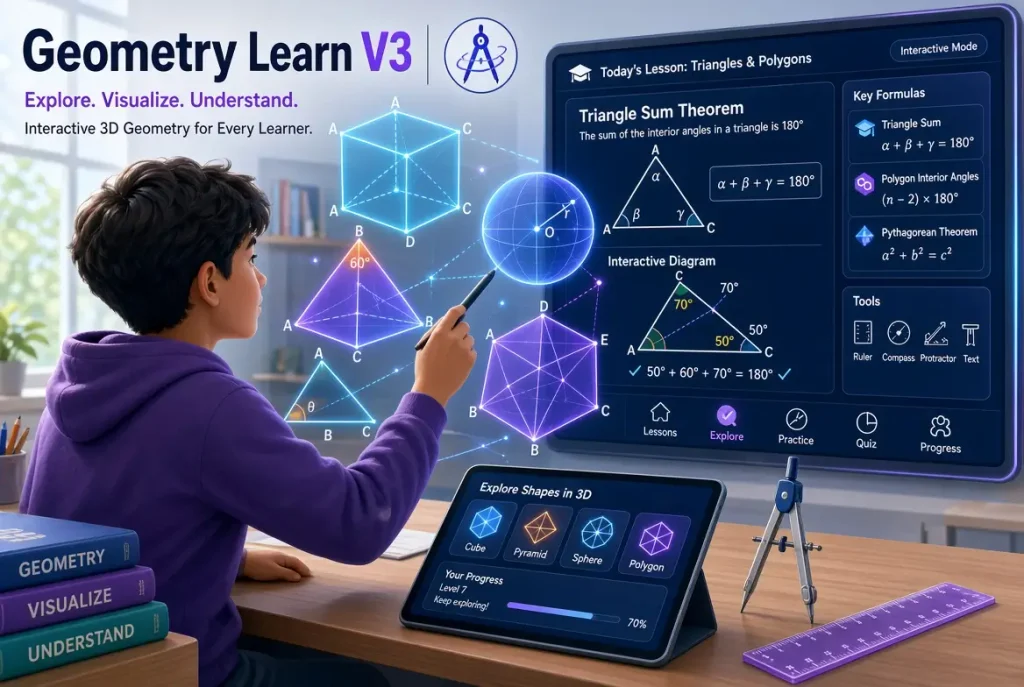
One of the strongest features of Geometry Learn V3 is the ability to rotate, zoom, and dissect three-dimensional shapes. A student examining a pyramid can tip it on its side, peel away a face, and see how the base and lateral faces relate to volume and surface area. The same principle applies to two-dimensional figures. Dragging a vertex of a triangle instantly updates all angles and side lengths, making the constant sum of interior angles feel like an observed fact rather than a rule to memorize.
This kind of interaction supports spatial reasoning in a way that flat diagrams rarely achieve. Many learners who struggle with traditional geometry are not weak at logic; they simply need more concrete experience with how shapes behave in space. Geometry Learn V3 supplies that experience on demand. The platform also includes transformation tools—reflections, rotations, translations, and dilations—so students can see congruence and similarity as movements rather than abstract criteria.
Real-time measurement tools further strengthen the connection between visual form and numerical property. Students can measure angles, lengths, and areas while they explore, then compare those measurements to predicted values. The combination of seeing and measuring creates a tighter feedback cycle than textbook exercises alone usually provide.
Adaptive Practice and the Role of Immediate Feedback
Geometry Learn V3 adjusts difficulty based on performance. A learner who quickly masters complementary and supplementary angles will see more complex problems involving transversals and parallel lines. Someone who hesitates on triangle congruence criteria receives additional targeted practice before advancing. This adaptive path reduces both boredom and frustration.
Immediate feedback is central to the design. When a student constructs a figure or answers a question, the system responds at once. Correct reasoning is confirmed. Incomplete or incorrect steps are flagged with guidance that points toward the missing idea rather than simply supplying the answer. Over time this builds a habit of checking one’s own thinking. Students begin to notice patterns and justify steps more carefully because the platform consistently rewards clear reasoning.
Gamified elements appear in some modules—points, progress indicators, and short challenges—but they remain secondary to the learning goals. The primary reward is clearer understanding. Learners who stick with the platform often report that concepts which once felt mysterious start to feel obvious once they have manipulated them enough times.
Practical Ways Students and Teachers Use Geometry Learn V3
Students typically begin with foundational modules and progress at their own pace. A middle-school learner might spend several sessions building confidence with angle relationships before moving to proofs. High-school students often use the coordinate geometry and transformation tools to prepare for more advanced courses or standardized assessments. Self-learners appreciate the ability to revisit any topic without waiting for a class schedule.
Teachers use the platform in different ways. Some project interactive figures during lessons so the whole class can watch a shape change while discussing properties. Others assign specific modules as practice after introducing a new concept. The visual clarity of the tools makes them useful for demonstrating ideas that are hard to convey with chalkboard drawings alone. Because the platform is browser-based, it requires no special installation and works across most devices, which simplifies classroom or remote use.
The most effective approach combines Geometry Learn V3 with traditional problem-solving. Interactive exploration builds intuition; written exercises and formal proofs develop precision and communication. Used together, they address both the “why it works” and the “how to show it works” sides of geometry.
Limitations and Realistic Expectations
No single tool replaces thoughtful instruction or consistent practice. Geometry Learn V3 excels at visualization and guided exploration, yet it cannot fully replicate the experience of constructing careful proofs on paper or discussing alternative approaches with peers. Some advanced topics still benefit from teacher explanation and open-ended investigation beyond what the current modules provide.
Access depends on a reliable internet connection and a modern browser. While the core experience is free in many implementations, certain advanced analytics or expanded content libraries may sit behind optional upgrades. Learners who treat the platform as a complete curriculum rather than a powerful supplement sometimes progress unevenly. The strongest results appear when students use it deliberately—focusing on areas of weakness and reflecting on the feedback they receive.
Conclusion
Geometry Learn V3 represents a practical shift in how geometry can be learned. By placing interactive manipulation and immediate feedback at the center of the experience, it helps students move from passive recognition of shapes to active understanding of their properties. The platform does not eliminate the need for careful thinking or formal reasoning, but it makes the visual and spatial foundations of those skills more accessible.
Learners who engage consistently with the tools often find that previously abstract ideas become concrete. Teachers gain a flexible resource for demonstration and practice. When used as part of a broader approach that still values written work and discussion, Geometry Learn V3 becomes a valuable companion for anyone working to master geometry.
Frequently Asked Questions
1. What is Geometry Learn V3?
It is a browser-based interactive platform designed to teach geometry through direct manipulation of shapes, real-time feedback, and adaptive practice rather than static diagrams and passive reading.
2. Who is Geometry Learn V3 designed for?
It serves middle-school and high-school students, self-learners, and teachers looking for visual tools to support geometry instruction.
3. Does Geometry Learn V3 require installation?
No. It runs in a standard web browser, so users can access it from most computers and tablets without downloading software.
4. What geometry topics does it cover?
Core topics include points, lines, planes, angles, triangles, polygons, circles, transformations, coordinate geometry, area, volume, and introductory proofs.
5. How does the adaptive feature work?
The platform tracks performance and adjusts the difficulty and focus of subsequent problems, giving more practice where needed and advancing faster where mastery is shown.
6. Can teachers use Geometry Learn V3 in the classroom?
Yes. Many educators project interactive figures during lessons or assign specific modules for practice and reinforcement.
7. Is Geometry Learn V3 free?
The core interactive tools and many modules are typically free to access. Some implementations offer optional premium features for expanded content or detailed progress tracking.
8. How is it different from earlier geometry learning tools?
Version 3 emphasizes continuous interaction and immediate feedback loops instead of primarily digitizing textbook content with occasional quizzes.
9. Does it replace traditional geometry textbooks and homework?
It works best as a strong supplement. Interactive exploration builds intuition, while written problems and formal proofs still develop precision and communication skills.
10. What devices work best with Geometry Learn V3?
Any modern browser on a computer, laptop, or tablet with a stable internet connection provides the full interactive experience.
You May Read Also:
Custom Software Development: Building Solutions That Actually Fit Your Business
